Old Photo Restoration
Upload a scan or phone photo of an old print. AI removes scratches, stains, tears and fading, and keeps every person looking like themselves.
At a glance
- What it fixes
- Scratches, cracks, dust, stains, creases, small missing or torn areas, and faded tones
- Cost
- 3 credits per photo; failed runs are refunded automatically
- Free to try
- New accounts get 3 free credits — one restoration
- Input
- JPEG, PNG, WebP or HEIC (HEIC in Safari), up to 20 MB, shorter side at least 256 px
- Output
- JPEG of about 4 megapixels (for example 1760 × 2432)
- Time
- About a minute; you can close the page while it runs
- Storage
- Your upload and the result are deleted after 24 hours
- Payment
- One-time credit packs. No subscription, credits never expire
How to use Old Photo Restoration
Step 1
Upload the photo
Choose a scan or a straight-on phone photo of the print. Large photos are resized in your browser before upload.
Step 2
Restore
Press Restore (3 credits). The photo is processed on our servers, so you can close the page and come back.
Step 3
Compare and download
Check the before and after side by side, then download the restored JPEG. It stays in My restorations for 24 hours.
Examples
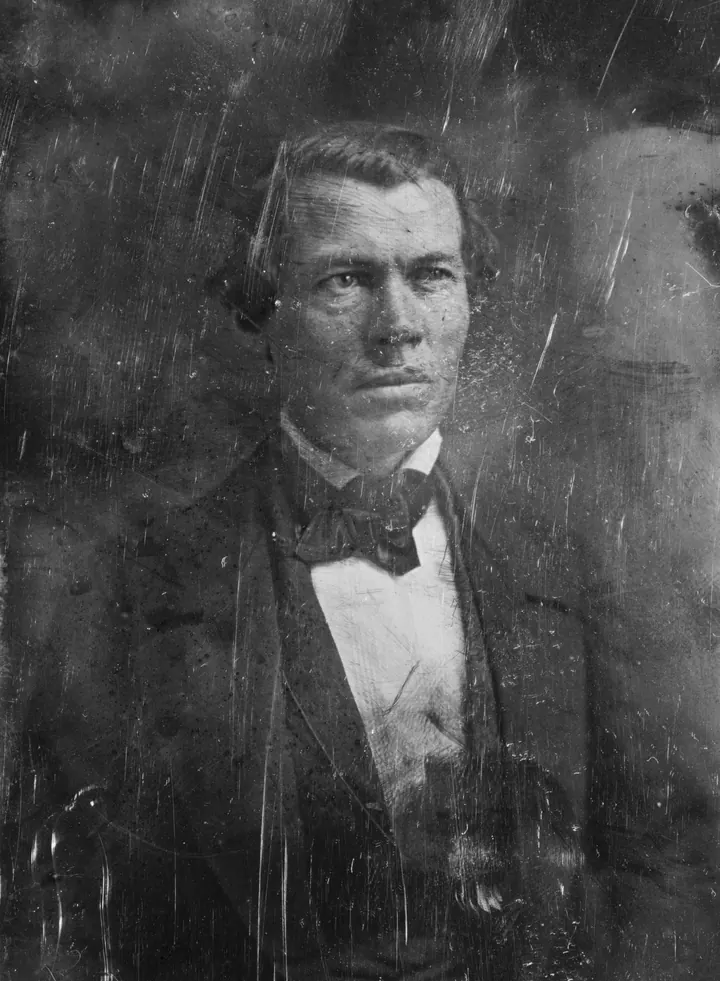
Before
After
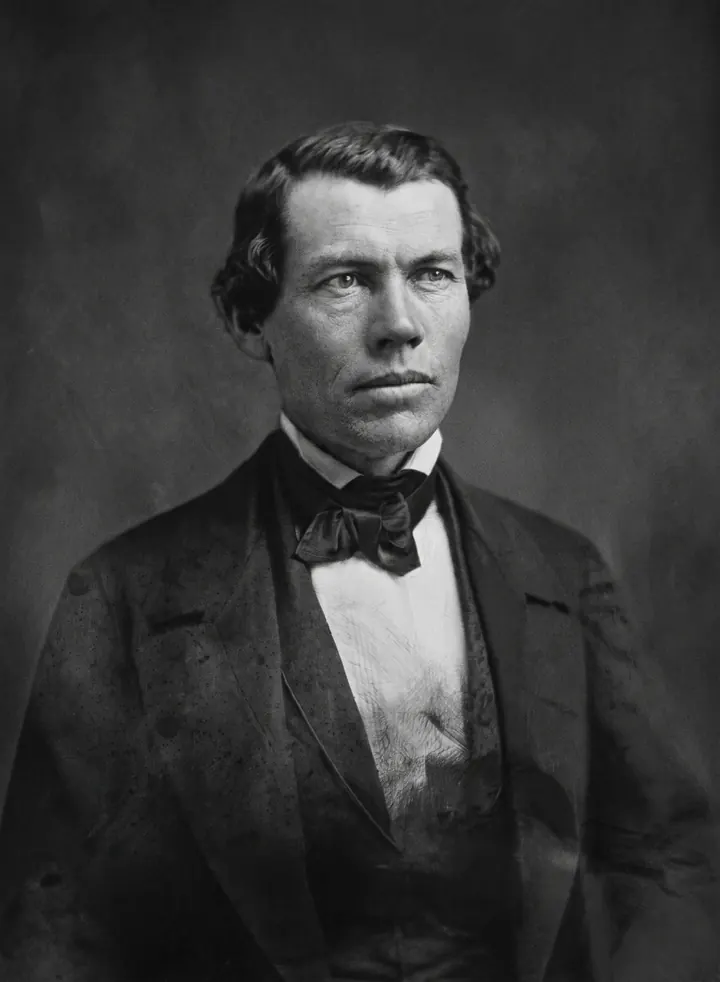
Scratches and haze are gone and the face is unchanged. The background also came out smoother than the original.
Photo: Wikimedia Commons: Jacob Thompson (ca. 1857) · Public domain

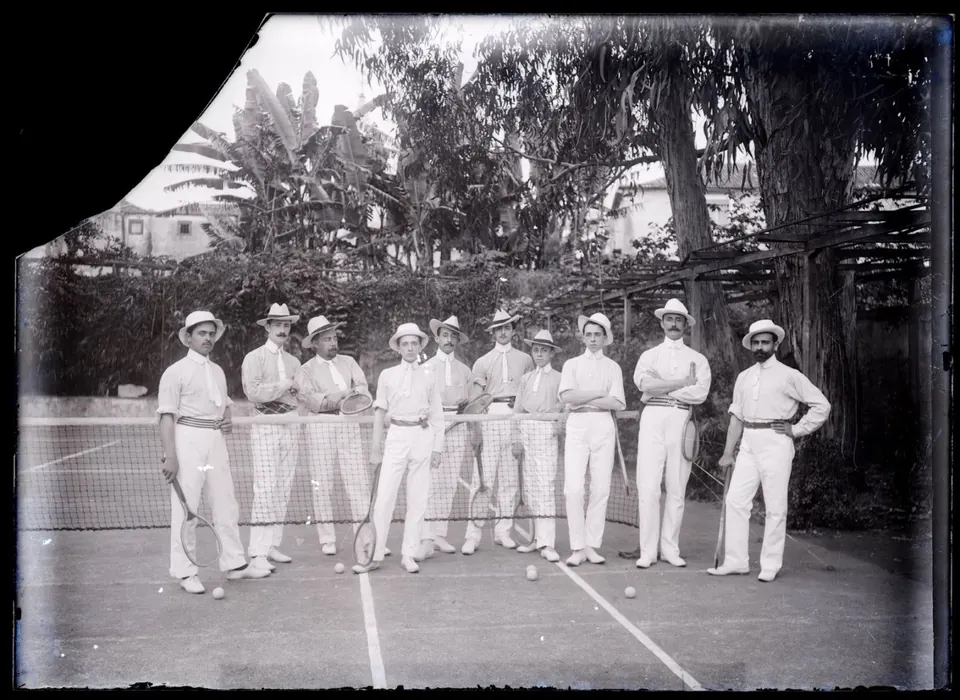
Before
After
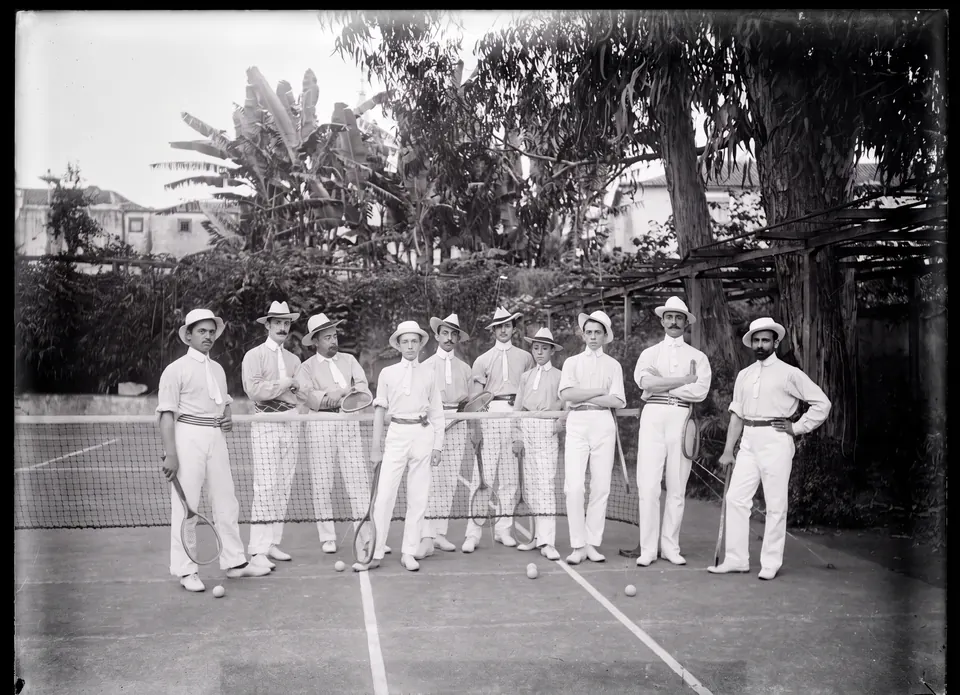
All eleven people stay the same. The missing corner was filled with trees and a building — that part is drawn by AI, because the original is lost.
Photo: Wikimedia Commons: Grupo de ténis, Funchal, c. 1905 · Public domain

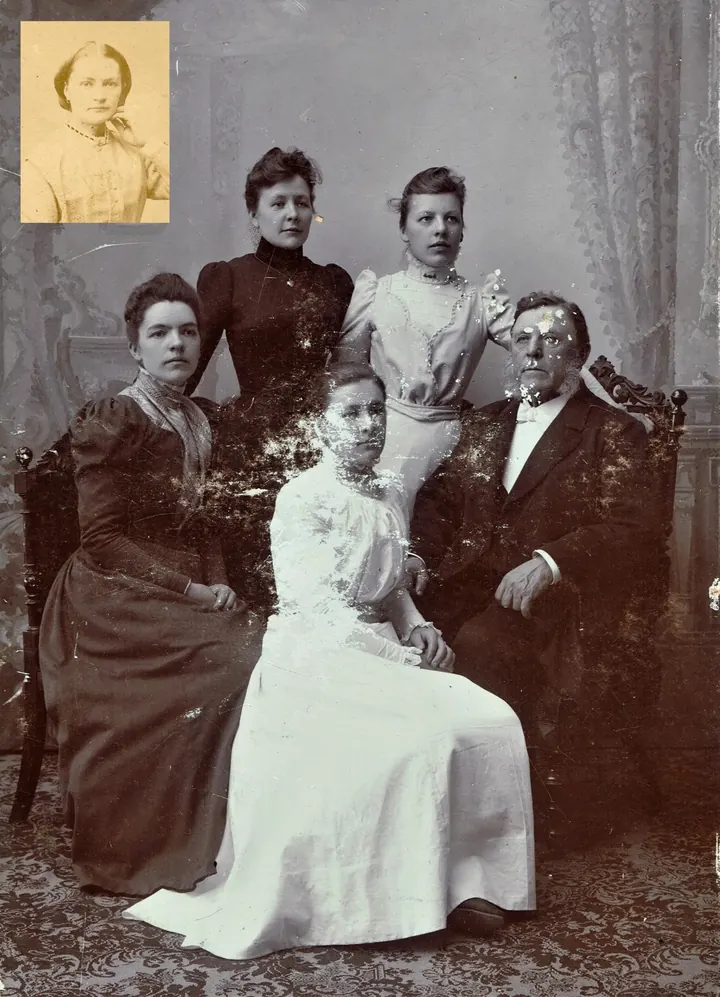
Before
After
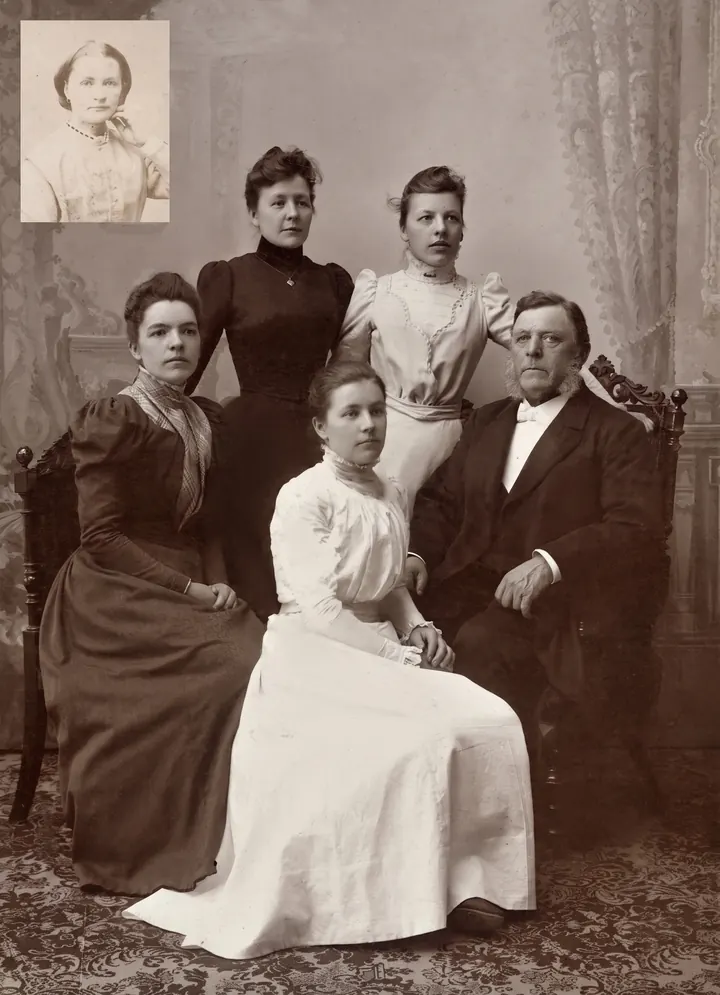
The peeling is fully repaired and everyone keeps their pose. The man on the right and the woman in front had almost no face left in the original, so their faces were redrawn by AI and may not match the real people. The small inset portrait also lost its yellow tint.
Photo: Wikimedia Commons: Sofia Jansdotter Wallin family · Public domain

FAQ
Will it change the faces?
It is instructed to keep every person exactly the same — face, expression, age, hair and clothing — and to change only the damage. AI can still redraw very small or badly damaged details, so compare the before and after before you print or share it.
Does it colorize black-and-white photos?
No. A black-and-white or sepia photo stays monochrome; a color photo keeps natural colors with the fading repaired.
What happens if the restoration fails?
Your 3 credits are returned automatically. If a result still arrives after we have given up waiting, it appears in My restorations for free.
Can I close the page while it runs?
Yes. The restoration keeps running on our servers. Sign in again on any device within 24 hours and find it under My restorations.
Why was my photo declined?
Our AI provider automatically declines some images under its content rules. The credits are returned. If several photos are declined in one day, restorations are paused on the account for 24 hours.
What happens to my photos?
Your photo is sent to our AI provider, fal.ai, to create the result. We keep the upload and the result for 24 hours so you can download them, then delete them automatically.
Is a restored photo suitable for official documents?
No. Restoration is generated by AI and may alter small details, so don't use it where an unedited original is required, such as passports or legal records.
Last updated: